
The Comprehensive Guide to Transition Durations in Tailwind CSS
Transition Durations

Introduction
Welcome to our comprehensive guide on transition durations in Tailwind CSS. In this article, we will explore the concept of transition duration, their usage, and how they can be applied to create smooth and visually appealing transitions in your web projects.
Whether you're a beginner starting with Tailwind CSS or an experienced developer looking to enhance your transition effects, this guide will provide you with valuable insights and practical examples. Let's dive in!
Understanding Transition Durations
In Tailwind CSS, transition durations determine the length of time it takes for a CSS transition to complete. Transition durations are specified using predefined classes or custom CSS utilities, allowing you to easily apply consistent and customizable transition effects to elements on your web page.
Usage of Transition Durations in Tailwind CSS
Transition durations in Tailwind CSS are used in conjunction with the transition utility class. The transition utility class defines the CSS properties that should transition and the timing function to be used. By combining the transition class with duration utilities, you can control the speed and smoothness of transitions in your web design.
To apply a transition duration in Tailwind CSS, you can use the following classes:
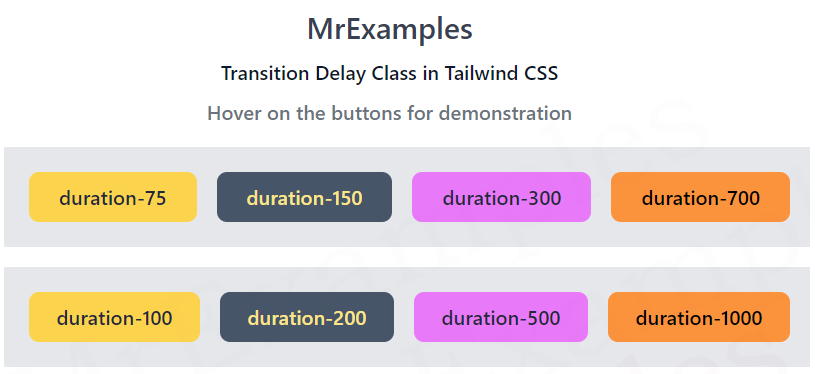
.duration-75for a duration of 75 milliseconds.duration-100for a duration of 100 milliseconds.duration-150for a duration of 150 milliseconds.duration-200for a duration of 200 milliseconds.duration-300for a duration of 300 milliseconds.duration-500for a duration of 500 milliseconds.duration-700for a duration of 700 milliseconds.duration-1000for a duration of 1000 milliseconds (1 second)
These classes can be added directly to your HTML elements or combined with other Tailwind CSS utilities to create complex transition effects.
Creating Smooth Transitions with Tailwind CSS
To create smooth transitions with Tailwind CSS, you can follow these steps:
1. Add the Transition Utility
Start by adding the transition utility class to the element you want to apply the transition effect to. This class specifies the CSS properties to transition and the timing function.
Example:
<button class="transition-colors duration-300 bg-blue-500 hover:bg-blue-700 text-white font-bold py-2 px-4 rounded"> Click Me </button>
In the above example, the transition-colors class specifies that the background color should transition, while the duration-300 class sets the transition duration to 300 milliseconds.
2. Customize the Transition Effect
You can customize the transition effect by combining the transition duration class with other Tailwind CSS utilities. For example, you can add additional classes to control the easing function, delay, or other properties related to the transition.
Example:
<button class="transition-all duration-500 ease-in-out delay-200 bg-blue-500 hover:bg-blue-700 text-white font-bold py-2 px-4 rounded"> Click Me </button>
In the above example, the transition-all class specifies that all CSS properties should transition, while the duration-500 class sets the transition duration to 500 milliseconds. The ease-in-out class defines the easing function, and the delay-200 class introduces a 200-millisecond delay before the transition starts.
By combining different Tailwind CSS utilities, you can achieve a wide range of transition effects tailored to your specific design needs.
Conclusion
In conclusion, transition durations in Tailwind CSS provide a simple and efficient way to create smooth and visually appealing transitions in your web projects. By using the predefined duration classes and combining them with other Tailwind CSS utilities, you can customize and control the speed and smoothness of transitions to enhance the user experience.
Experiment with different transition durations and explore the various Tailwind CSS utilities to create captivating transition effects in your designs. Let your creativity flow and elevate your web projects with seamless transitions using Tailwind CSS transition durations.
Hoping that it would help the learners.
Happy coding and enjoy the power of Tailwind CSS transition effects!